
Launching Drafts
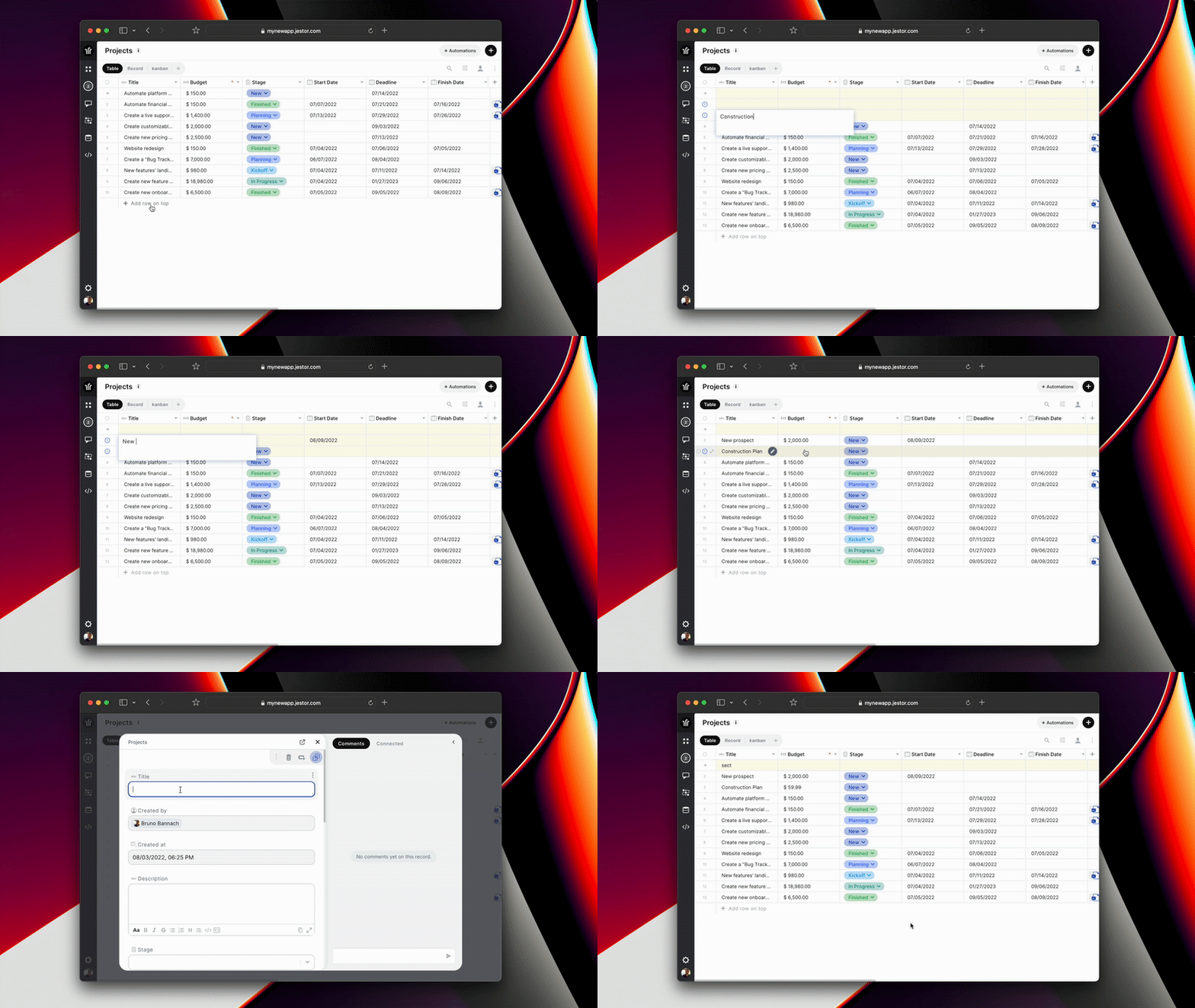
Finish your work later when you have all the required information, never forget anything.
- Save information even before you have all the required data.
- Edit your record as a draft as many times as you need before transforming it into a record.
- Visually distinguish drafts from records by the yellow color.
What is a draft in Jestor?
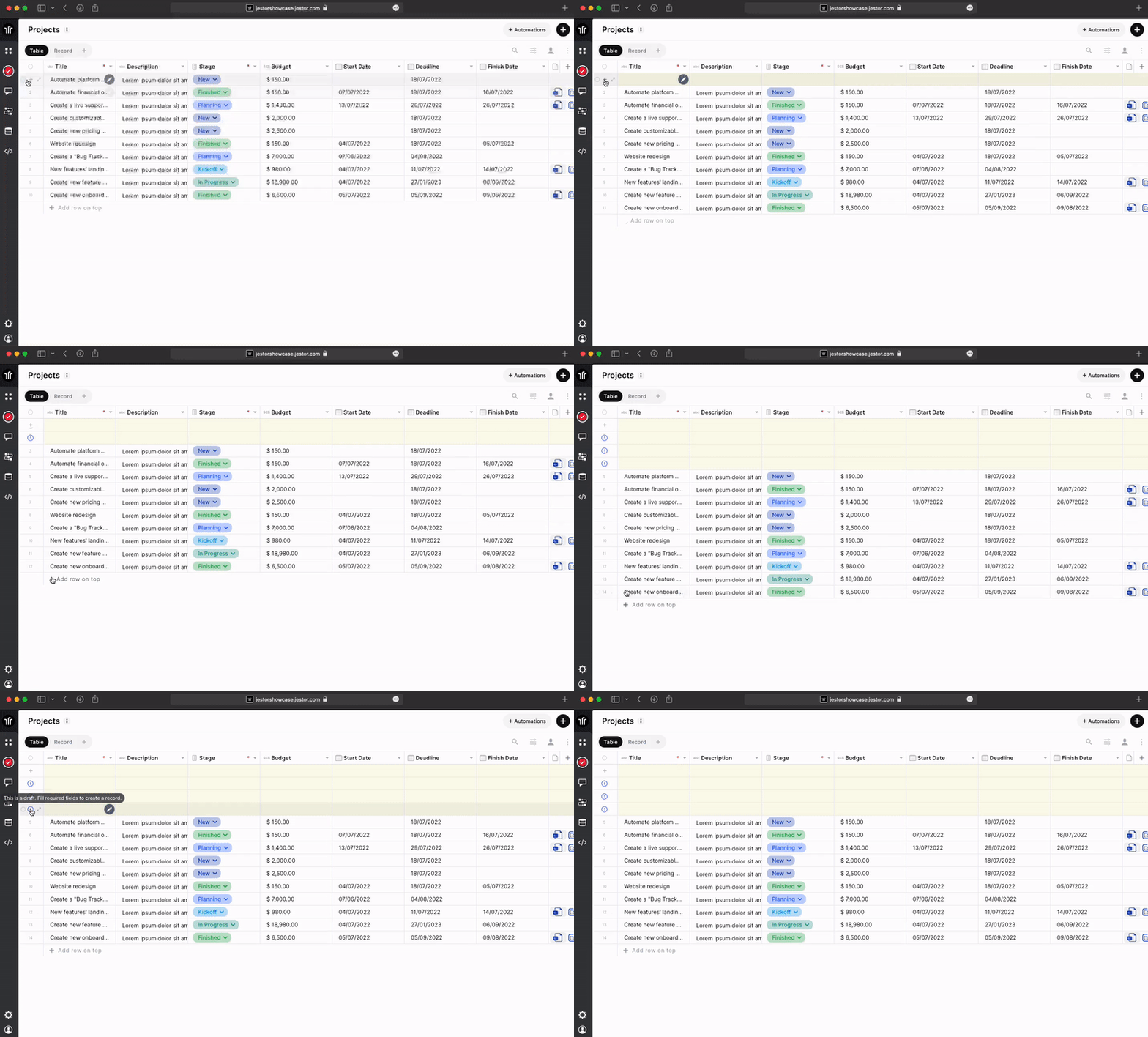
Any record that does not contain all required columns filled in are considered drafts, they are marked in yellow and with an exclamation mark on the left side.
Drafts can be used to save time when you still don't have all the information to fill in the record and save it to fill in later. Also, drafts are not considered records in your table yet, so as long as the record is a draft, it will not be considered as a trigger for automations.
How to create a draft in Jestor?
You can easily create a draft by clicking on the "+" button on the left side of the first row or clicking on the "+ Add row on top" button bellow the records you'll create a draft
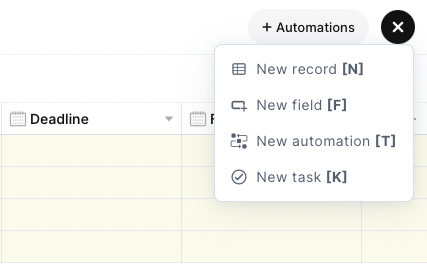
Also, you can press the hotkey (N) or click on the "+" button on the upper right corner of your table to access the "create a record" page.
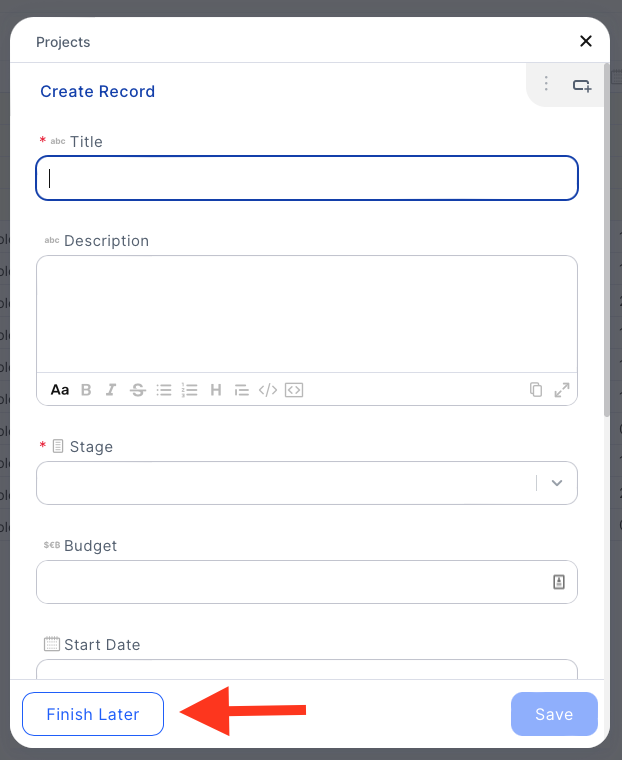
And there you can click on the "Finish Later" button to save the record as a draft.
Access the documentation: https://docs.jestor.com/docs/drafts