
Launching Workspace customization

Launching Workspace customization
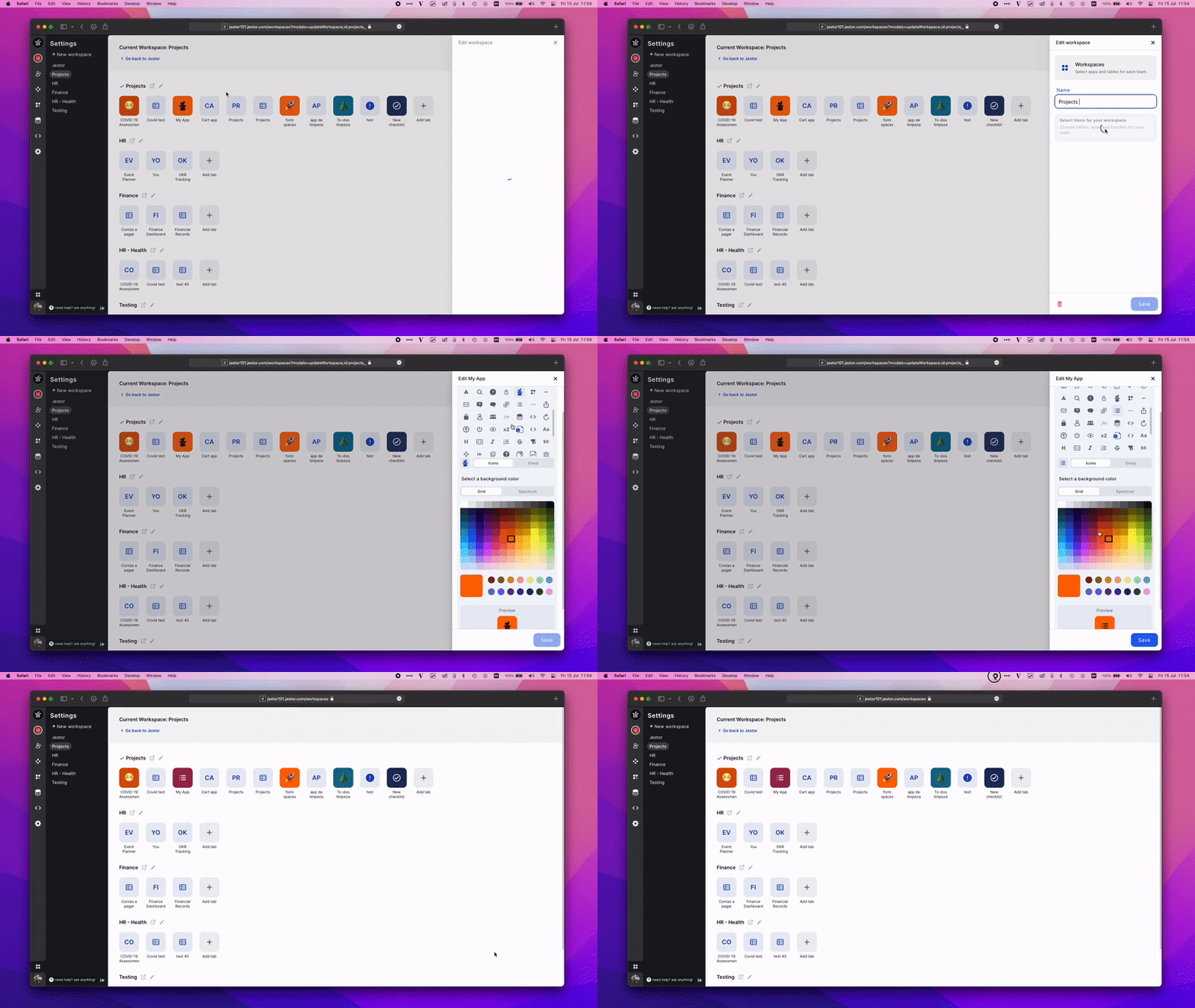
Emojis and Colors for apps: customize your workspace for a more intuitive experience.

  • Select any color with our new color picker, including HEX.
  • Better mobile experience.
  • Add icons or emojis to differentiate shortcuts for apps and tables.
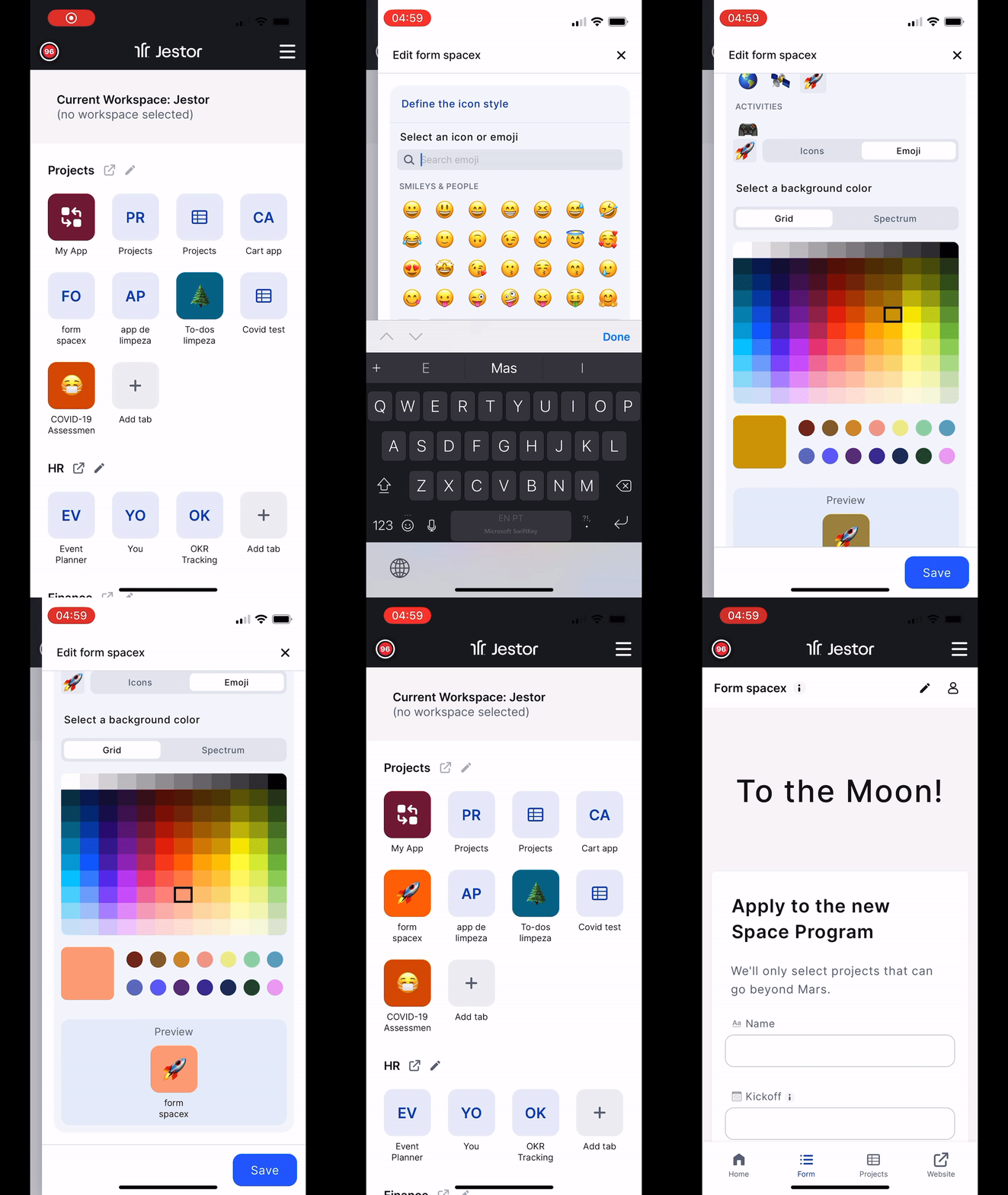
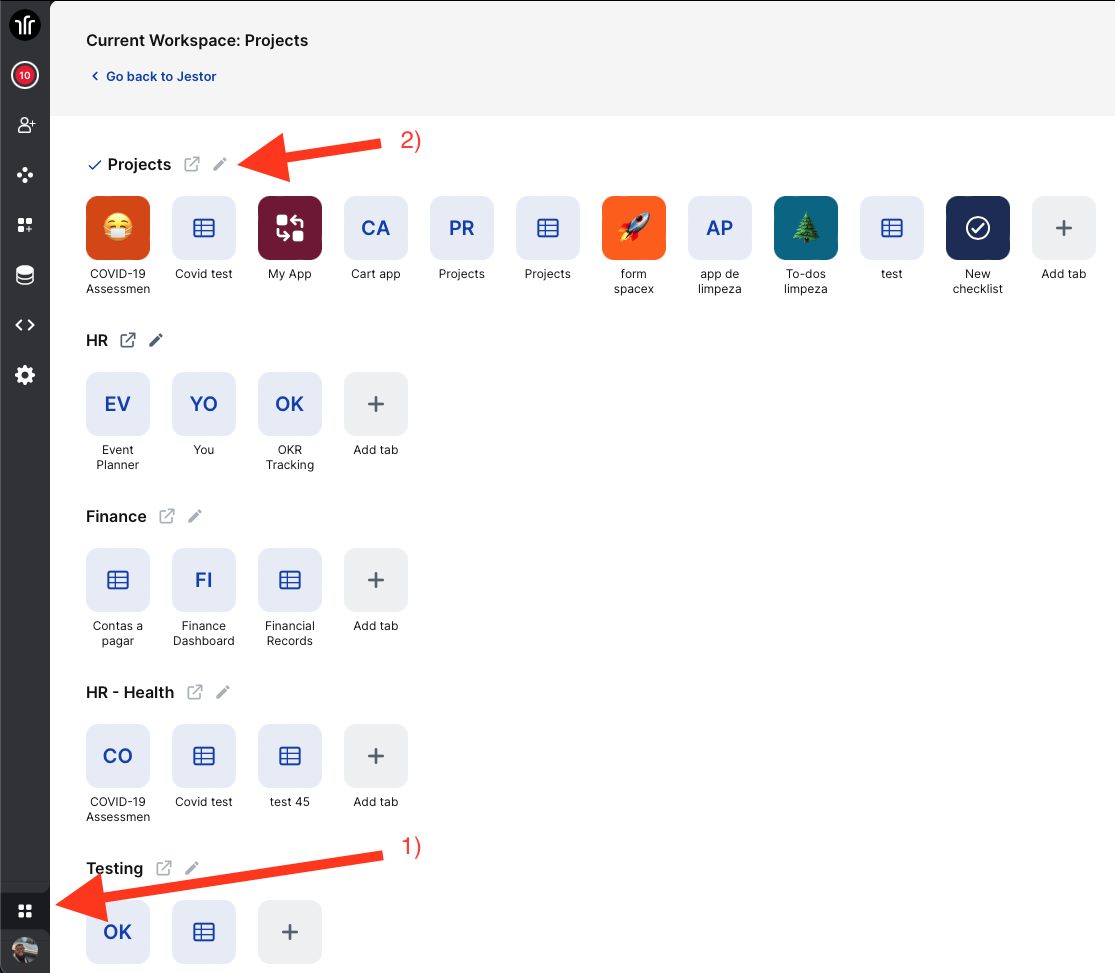
How to customize?

  1. Access your workspace by clicking the icon bellow in the left menu
  2. Click the edit icon on the right side of the workspace name
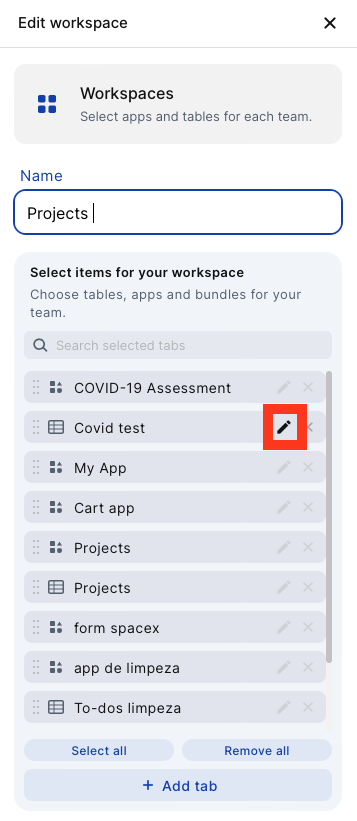
And then click the edit icon next to the apps and tabs name to open the icon and color options
Read more

Operational financial management with Jestor: approvals, authorization tiers, and ERP in a single workflow

Suggested Slug: operational-financial-management-jestor-approvals-authorization-tiers-erp Main Keyword: operational financial management Jestor approvals ERP Operational financial management with Jestor: approvals, authorization tiers, and ERP in a single workflow Operational financial management with Jestor means bringing together in a single environment everything that happens between the decision to spend and the ERP record: the

How to centralize approvals from multiple departments integrated with the same ERP

Suggested Slug: centralize-approvals-multiple-departments-same-erp Main Keyword: centralize approvals multiple departments ERP How to centralize approvals from multiple departments integrated with the same ERP Centralizing approvals from multiple departments in a single environment integrated with the ERP means that purchases, expenses, contracts, and payments from marketing, operations, HR, and IT go through